压箱底的 macOS 环境搭建、常用软件分享
命令行工具brew install wgetbrew install asciinemabrew install dos2unixbrew install jqbrew install neofetchbrew install tldrbrew install treebrew install sm

Git
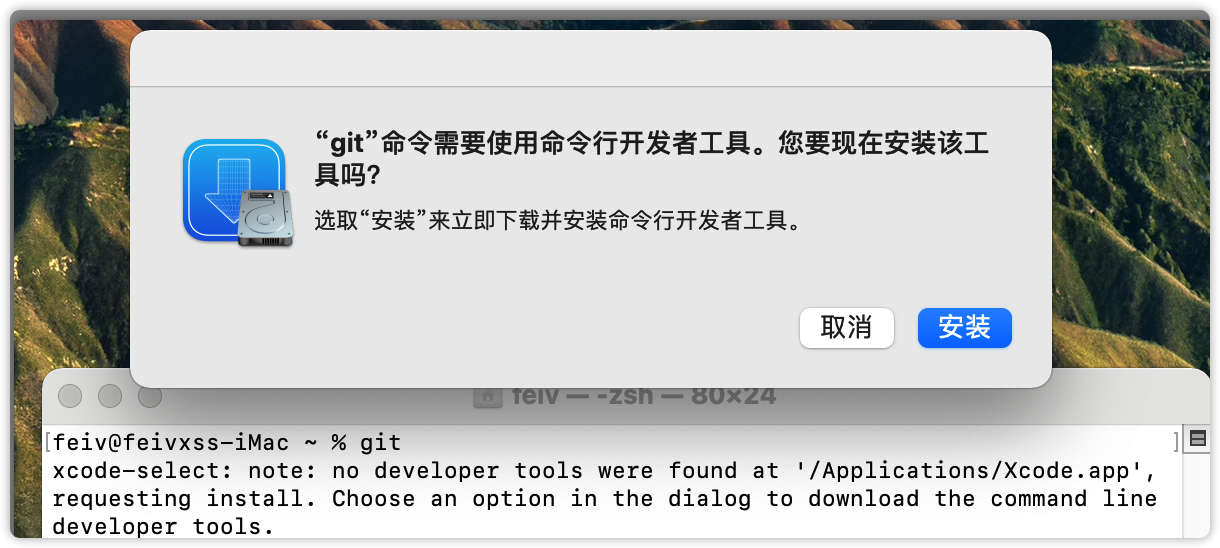
打开 Terminal 输入 git,回车,然后安装开发工具,等待安装完毕。
Surge
curl -LO https://dl.nssurge.com/mac/v4/Surge-latest.zip
unzip Surge-latest.zip
Homebrew
使用官方提供的安装命令,默认会访问 GitHub 仓库,
/bin/bash -c "$(curl -fsSL https://raw.githubusercontent.com/Homebrew/install/HEAD/install.sh)"
如果有网络问题,可以使用清华大学的镜像仓库,已经有现成的脚本
export HOMEBREW_BREW_GIT_REMOTE="https://mirrors.tuna.tsinghua.edu.cn/git/homebrew/brew.git"
export HOMEBREW_CORE_GIT_REMOTE="https://mirrors.tuna.tsinghua.edu.cn/git/homebrew/homebrew-core.git"
export HOMEBREW_BOTTLE_DOMAIN="https://mirrors.tuna.tsinghua.edu.cn/homebrew-bottles"

# 从本镜像下载安装脚本并安装 Homebrew / Linuxbrew
git clone --depth=1 https://mirrors.tuna.tsinghua.edu.cn/git/homebrew/install.git brew-install
/bin/bash brew-install/install.sh
rm -rf brew-install

##### 或者

# 也可从 GitHub 获取官方安装脚本安装 Homebrew / Linuxbrew
/bin/bash -c "$(curl -fsSL https://github.com/Homebrew/install/raw/master/install.sh)"
iTerm2
brew install --cask iterm2
安装 Fira Code 字体作为 iTerm2 的显示字体。可参考:GitHub 或 Gitee 镜像
为了使用后续的 oh my zsh 主题,这里直接安装 powerline fonts:
git clone [email protected]:powerline/fonts.git
cd fonts
./install.sh
然后在 iTerm2 中打开设置,做如下设置:
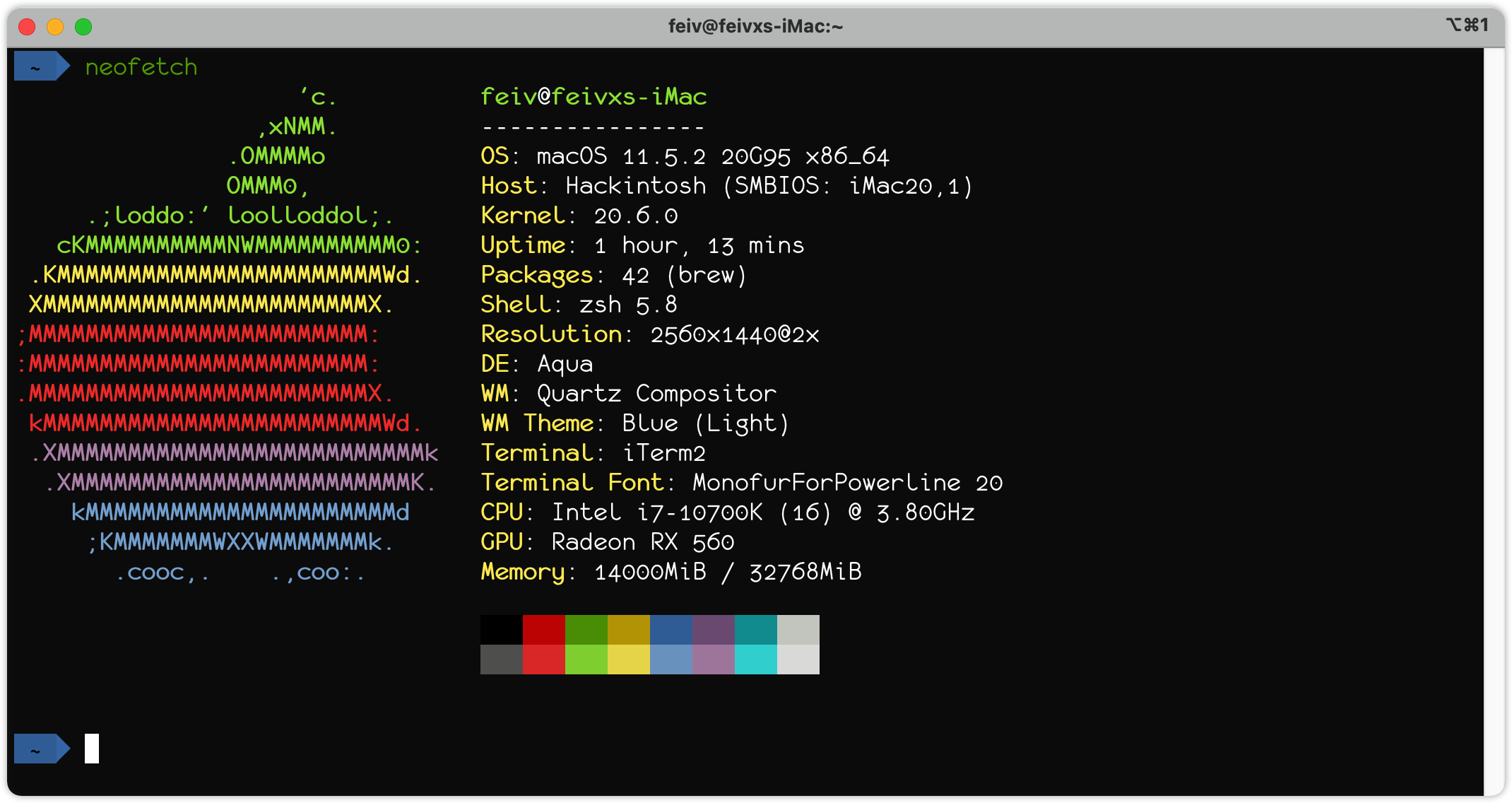
Profiles-Colors-Color Presets: Tango DarkProfiles-Text-Font: monofur for powerline, Regular, 20Profiles-Window-Settings for New Window: Columns 105, Rows 25
login shell
使用 zsh 并安装 oh-my-zsh 主题
sh -c "$(curl -fsSL https://raw.github.com/ohmyzsh/ohmyzsh/master/tools/install.sh)"
可以考虑使用此主题:https://github.com/romkatv/powerlevel10k
oh my zsh 插件
# zsh-syntax-highlighting 命令是否正确
git clone https://github.com/zsh-users/zsh-syntax-highlighting.git ${ZSH_CUSTOM:-~/.oh-my-zsh/custom}/plugins/zsh-syntax-highlighting
# zsh-autosuggestions 根据命令历史推荐
git clone https://github.com/zsh-users/zsh-autosuggestions ${ZSH_CUSTOM:-~/.oh-my-zsh/custom}/plugins/zsh-autosuggestions
然后打开 ~/.zshrc 将 plugins 行修改为:plugins=(git zsh-syntax-highlighting zsh-autosuggestions)
vim
sh <(curl https://j.mp/spf13-vim3 -L)
或者参考:spf13-vim
浏览器
brew install --cask google-chrome firefox
编程语言
brew install node go [email protected]
brew install maven gradle
brew install --cask mactex
IDE
brew install --cask jetbrains-toolbox \
visual-studio-code
通过 jetbrains-toolbox 安装 JetBrains 全家桶吧!
- InteliJ IDEA Ultimate
- GoLand
- CLion
- PyCharm Professional
Hackintosh
brew install --cask opencore-configurator \
hackintool \
kext-utility \
balenaetcher
容器相关
brew install --cask docker lens
brew install helm
brew install grafana
安装 Docker Desktop 版的 k8s 集群,可参考阿里云的官方步骤
curl -fsSL -O https://raw.githubusercontent.com/AliyunContainerService/k8s-for-docker-desktop/v1.22.4/images.properties
bash -c "$(curl -fsSL https://raw.githubusercontent.com/AliyunContainerService/k8s-for-docker-desktop/v1.22.4/load_images.sh)"
编辑配置文件
"registry-mirrors": [
    "https://registry.docker-cn.com",
    "https://mirror.baidubce.com"
],
命令行小工具
brew install wget tig jq neofetch tldr tree dos2unix
brew install asciinema
brew install smartmontools
# 图片压缩
brew install jpegoptim optipng
腾讯系软件
brew install --cask qq wechat wechatwork qqmusic tencent-meeting
其他软件
brew install --cask neteasemusic yinxiangbiji sogouinput futubull thunder utools
brew install --cask postman sourcetree iina paper telegram-desktop
Typora
收费版
brew install --cask typora
破解版本
uPic
开源版本只更新到 19 年
brew install --cask upic
收费版本
iStat Menus
brew install --cask istat-menus
激活码
[email protected]GAWAE-FCWQ3-P8NYB-C7GF7-NEDRT-Q5DTB-MFZG6-6NEQC-CRMUD-8MZ2K-66SRB-SU8EW-EDLZ9-TGH3S-8SGA
Alfred
免费版
brew install --cask alfred
破解版本
JDK
这里选用Azul Zulu Builds of OpenJDK,默认用 JDK 1.8,如有其他版本 JDK 需要,可在 IDE 里面进行配置。
# 进入临时目录
cd /tmp

curl -LO https://cdn.azul.com/zulu/bin/zulu8.60.0.21-ca-jdk8.0.322-macosx_x64.dmg
open .
# 点击安装 JDK pkg。

# 查看已安装 JDK 的路径
/usr/libexec/java_home

# JDK 11
curl -LO https://cdn.azul.com/zulu/bin/zulu11.54.25-ca-jdk11.0.14.1-macosx_x64.zip
unzip zulu11.54.25-ca-jdk11.0.14.1-macosx_x64.zip
sudo mv zulu11.54.25-ca-jdk11.0.14.1-macosx_x64/zulu-11.jdk /Library/Java/JavaVirtualMachines

# JDK 17
curl -LO https://cdn.azul.com/zulu/bin/zulu17.32.13-ca-jdk17.0.2-macosx_x64.zip
unzip zulu17.32.13-ca-jdk17.0.2-macosx_x64.zip
mv zulu17.32.13-ca-jdk17.0.2-macosx_x64/zulu-17.jdk  /Library/Java/JavaVirtualMachines
PDF Expert
破解版本
Navicat Premium
破解版本
Microsoft Office
破解版本
Final Cut Pro
破解版本
Vmware Fusion
破解版本
OmniGraffle
破解版本
Charles
破解版本
Xmind
破解版本
Redis Desktop Manager
破解版本
